

Home / Insights / Hospitality
Hospitality
Guests treat Wi-Fi like hot water: they only notice it when it fails. Here’s how to design hotel Wi-Fi that covers every room, holds up at peak hours and stays out of your reviews.
RC
By RedCell Engineering
· Nov 17, 2026 · 4 min read
•
Wi-Fi is one of the first things guests look for. In a 2025 Savills Ireland survey of 1,000 adults, 64% called high-speed Wi-Fi a must-have, the top amenity on the list.
•
Most hotel Wi-Fi complaints come from design, not from a lack of bandwidth: hallway-only access points, too few radios for peak hours, and one flat network for everything.
•
Separate guests, staff, payments and smart-room devices onto their own networks.
•
Plan for support. A property can’t wait a week for someone to fix the network.
An office network serves a known group of people at desks. A hotel serves a constantly changing crowd, each carrying several devices, spread across thick walls, multiple floors, a lobby, meeting rooms and a pool deck. Usage spikes in the evening when everyone is back in their rooms streaming video, and guests notice instantly when it slows down.
Guests also expect it to just work. Wi-Fi regularly ranks among the amenities travelers care about most. In a June 2025 survey by Savills Ireland and iReach, 64% of 1,000 Irish adults said high-speed Wi-Fi was a must-have, ahead of on-site dining and pools.
64% of adults surveyed called high-speed Wi-Fi a must-have hotel amenity, the top answer on the list.
Savills Ireland / iReach survey of 1,000 adults, June 2025
1.
Access points only in the hallways. Signals have to push through doors, walls and bathrooms to reach the bed. In-room or every-other-room access points usually perform far better.
2.
Designing for coverage, not capacity. One bar of signal everywhere isn’t the goal. The network has to handle every room streaming at 9 p.m.
3.
One flat network. Guests, staff, point-of-sale terminals, door locks and TVs sharing one network is a security and performance problem.
4.
Underpowered switching. Wi-Fi 6 and Wi-Fi 7 access points need enough PoE power and uplink speed from the switch to perform as rated.
5.
No one on call. When the Wi-Fi drops on a Friday night, “we’ll get someone out Tuesday” turns into reviews.
Start with a survey and a design. Every building is different. Construction materials, room layout and how guests use each space should drive where access points go, not a generic rule of thumb.
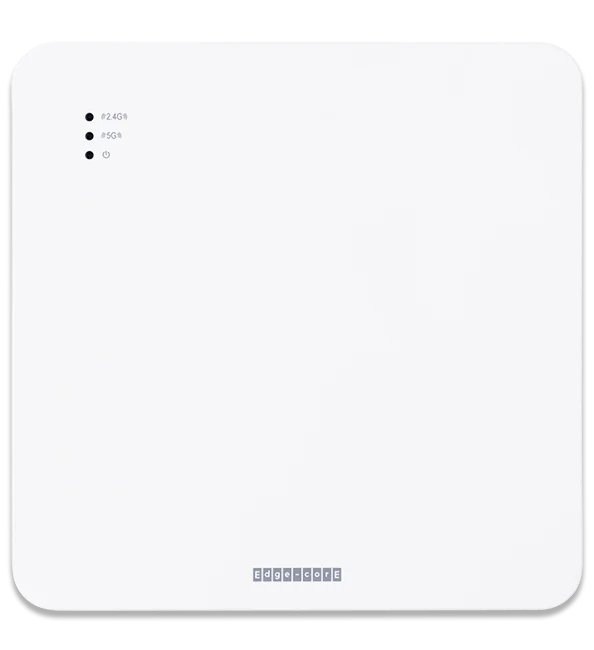
Put radios where guests are. For guest rooms, wall-plate or in-room access points often beat hallway placement. Access points with extra LAN ports can also feed in-room TVs or phones.
Plan capacity for peak hours. Count rooms, expected devices per guest and evening usage, then choose access points and channels to match. Newer standards like Wi-Fi 6 and Wi-Fi 7 handle crowded spaces better than older gear.
Segment the network. Give guests, staff, point-of-sale, building systems and smart-room devices their own networks (VLANs). Modern access points support WPA3 and per-device or per-room passwords (MPSK/DPSK), so a guest only sees their own devices.
Make the login painless. A clean captive portal, or room-based passwords, keeps check-in simple without leaving the network open.
Size the internet connection and switching. Even perfect Wi-Fi can’t fix a congested internet link or a switch that can’t power every access point.
Monitor it and back it with support. Know about problems before guests do, and have engineers who can fix them quickly.
Get a design review from a US-based RedCell engineer.
Pool decks, patios and courtyards are where guests expect Wi-Fi and where indoor gear struggles. Use outdoor-rated access points built for sun, rain and heat, mounted where they cover the space without bleeding into guest rooms.
Many hotel networks run on equipment that needs an active subscription to keep working. That works for some owners, but it adds a recurring cost to every access point for as long as the property runs it.
RedCell builds hotel networks on Edgecore Wi-Fi 6 and Wi-Fi 7 access points and switches with no annual feature licenses. We design the network, pre-provision every device before it arrives, and back it with US-based engineers.
Not ready to replace everything? We can ship pre-configured access points and a PoE switch for a 30-day trial so you can test them in a few rooms before deciding.
SOURCES
Hotel & Restaurant Times, June 9, 2025: High-speed Wi-Fi is the No. 1 driver of hotel choice for 64% of Irish travellers (Savills Ireland / iReach survey of 1,000 adults)
Share
Copy link
RC
RedCell Engineering
US-based network engineers who design, deploy and support Edgecore networks for businesses and service providers.
US-based engineers who design, deploy and support Edgecore networks.
IN THIS ARTICLE
Key takeaways
Why hotel Wi-Fi is different
The five most common hotel Wi-Fi mistakes
How to design hotel Wi-Fi that works
Don’t forget the outdoor spaces
Rent or own your hotel network?
Try it in one wing first
30-DAY EDGECORE TRIAL
A pre-configured access point and PoE switch, shipped to you, with a US-based engineer on call.
Request your trialOr call 813 885 2600
KEEP READING
LICENSING & OWNERSHIP
Meraki gives you 30 days of grace. After that, Cisco says devices stop passing client traffic.
OPEN NETWORKING
How disaggregated hardware works, who builds it, and when it makes sense for a business.
OPEN NETWORKING
The open-source network OS Microsoft built for Azure, explained in plain English.
Talk to a RedCell engineer: 813 885 2600 · redcelltechnologies.com/contact
Own your network. Talk to an engineer.
813 885 2600 · redcelltechnologies.com/contact