
Home / Edgecore / Access Points / EAP101
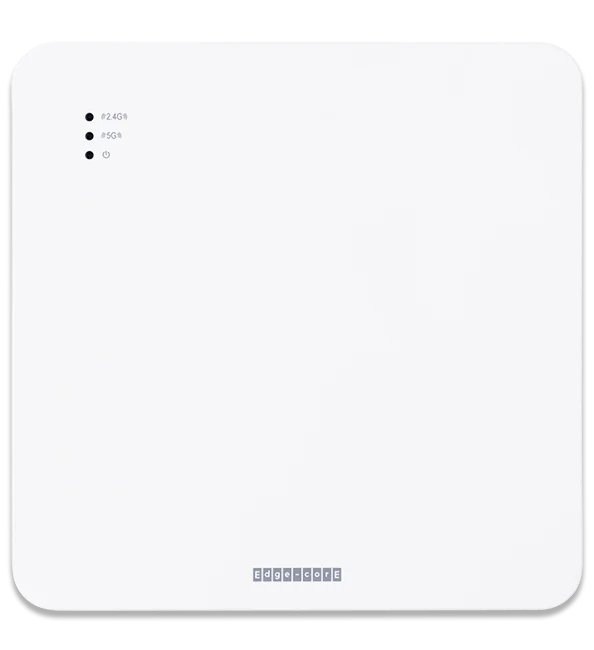
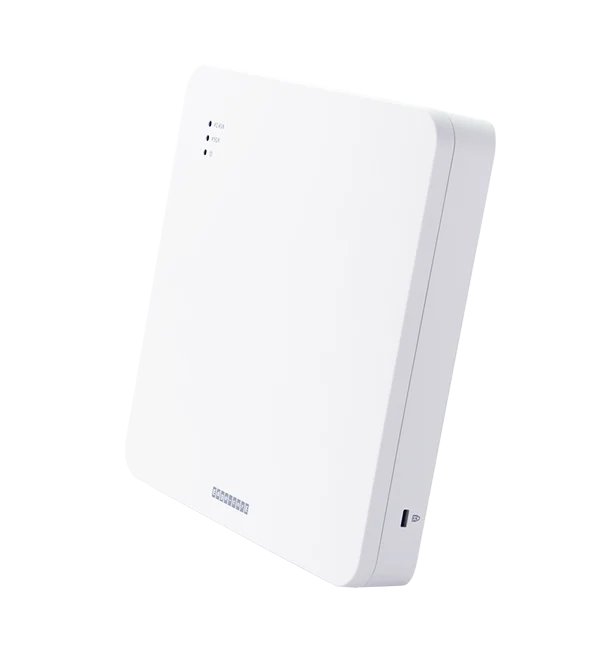
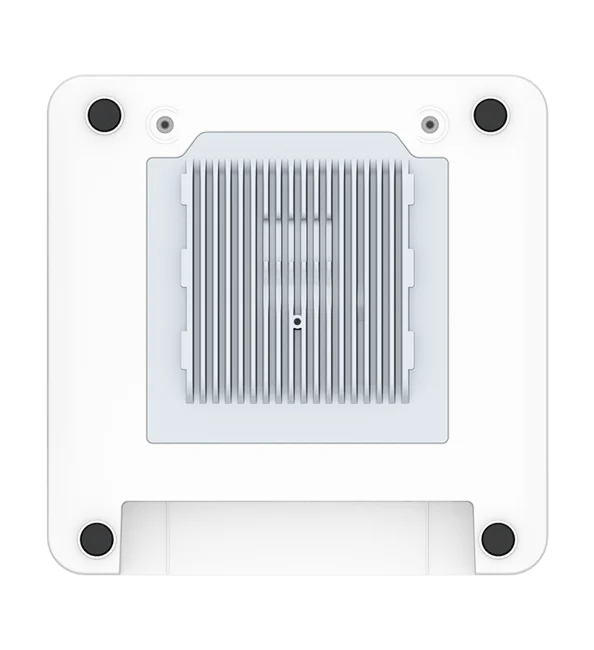
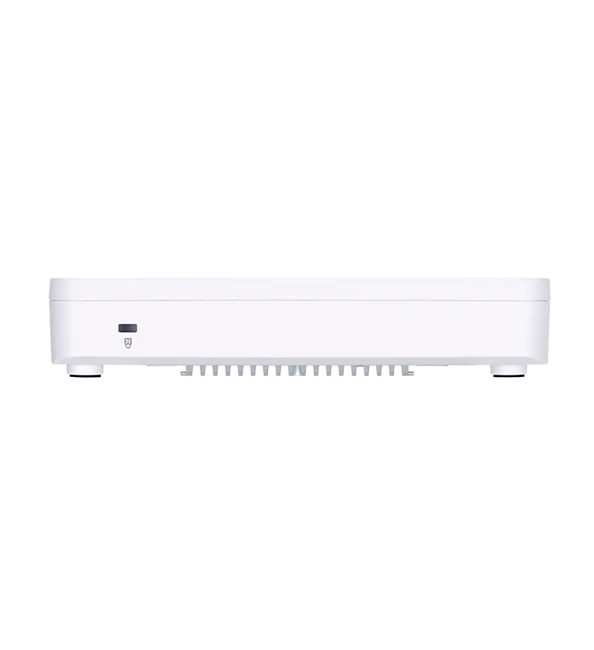
Indoor Wi-Fi 6 access point
A dual-band Wi-Fi 6 access point with two extra LAN ports, built for guest rooms, offices and classrooms that need solid coverage at a sensible price. RedCell designs, pre-provisions and supports it from the US.
1.7 Gbps
Max aggregate data rate
2 bands
2.4 and 5 GHz, concurrent
2.5GbE
PoE+ uplink, plus 2 GbE LAN ports
BLE
Built-in radio for iBeacon and presence
1.7 Gbps
Max aggregate data rate
2 bands
2.4 and 5 GHz, concurrent
2.5GbE
PoE+ uplink, plus 2 GbE LAN ports
BLE
Built-in radio for iBeacon and presence
Overview
The EAP101 runs 2.4 and 5 GHz side by side with 2x2 MU-MIMO and OFDMA, so busy rooms stay connected. Two extra LAN ports wire a TV, phone or desktop at the same spot. It runs standalone or under ecCLOUD and EWS controllers, with no license that has to stay paid for it to keep working.
2.4 and 5 GHz concurrently, 2x2 MU-MIMO on each band, 80 MHz channels on 5 GHz.
574 Mbps on 2.4 GHz and 1,200 Mbps on 5 GHz.
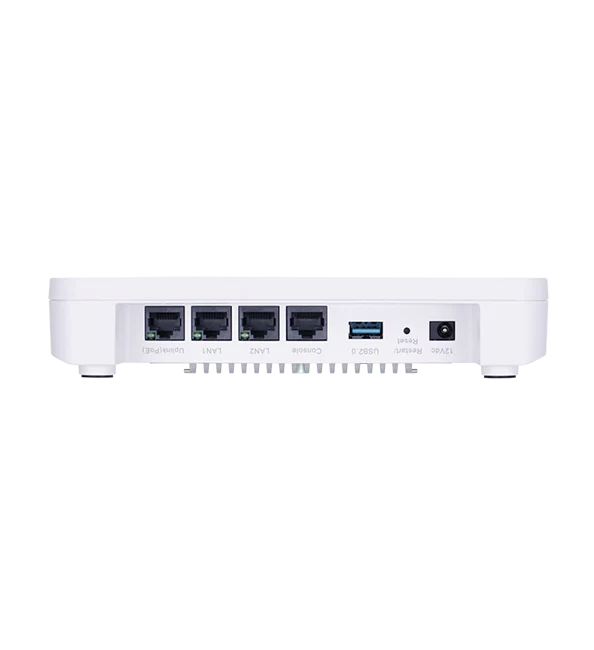
802.3at PoE input on a 2.5GbE port, and two GbE ports for wired devices.
WPA3, MPSK, captive portal, OpenRoaming (Hotspot 2.0 R1) and client isolation.
Up to 1.7 Gbps aggregate
574 Mbps on 2.4 GHz and 1,200 Mbps on 5 GHz.
Bluetooth Low Energy for iBeacon and presence-detection apps.
Standalone, Edgecore ecCLOUD or EWS controllers, with QR-code onboarding.
2.5GbE PoE+ uplink, plus 2 LAN ports
802.3at PoE input on a 2.5GbE port, and two GbE ports for wired devices.
Guest-network ready
WPA3, MPSK, captive portal, OpenRoaming (Hotspot 2.0 R1) and client isolation.
BLE radio built in
Bluetooth Low Energy for iBeacon and presence-detection apps.
Manage it your way
Standalone, Edgecore ecCLOUD or EWS controllers, with QR-code onboarding.
Specifications from Edgecore’s published EAP101 product page.
Overview
Proven Wi-Fi 6 for rooms, offices and classrooms.
The EAP101 runs 2.4 and 5 GHz side by side with 2x2 MU-MIMO and OFDMA, so busy rooms stay connected. Two extra LAN ports wire a TV, phone or desktop at the same spot. It runs standalone or under ecCLOUD and EWS controllers, with no license that has to stay paid for it to keep working.
Use cases
How RedCell puts the EAP101 to work in the industries we serve.

Two LAN ports serve the TV and phone at the same spot, and per-room keys with MPSK keep guest traffic separate.

VLAN support and captive portal keep POS, staff and guest traffic apart at every location, managed from one view.

OFDMA and MU-MIMO keep a classroom of laptops connected, with WPA3-Enterprise for staff and students.

Suites, offices and meeting rooms. For concourses and open-air areas, RedCell specs the outdoor OAP101.

A good fit for conditioned indoor space (0–50 °C). For docks and yards, RedCell specs the outdoor OAP101.

Dependable Wi-Fi 6 for offices and shared buildings, managed from ecCLOUD or an on-site controller.
Multi-site restaurants & retail
VLAN support and captive portal keep POS, staff and guest traffic apart at every location, managed from one view.
Education
OFDMA and MU-MIMO keep a classroom of laptops connected, with WPA3-Enterprise for staff and students.
Warehousing: offices and break rooms
A good fit for conditioned indoor space (0–50 °C). For docks and yards, RedCell specs the outdoor OAP101.
Offices & multi-tenant buildings
Dependable Wi-Fi 6 for offices and shared buildings, managed from ecCLOUD or an on-site controller.
30-day Edgecore trial
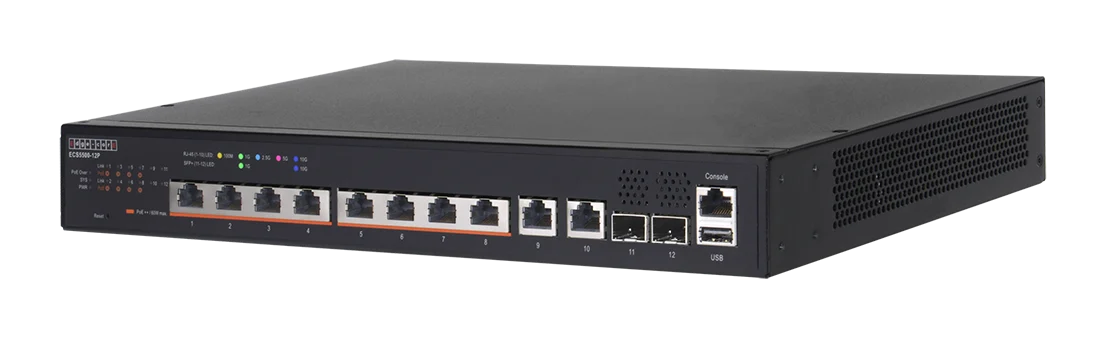
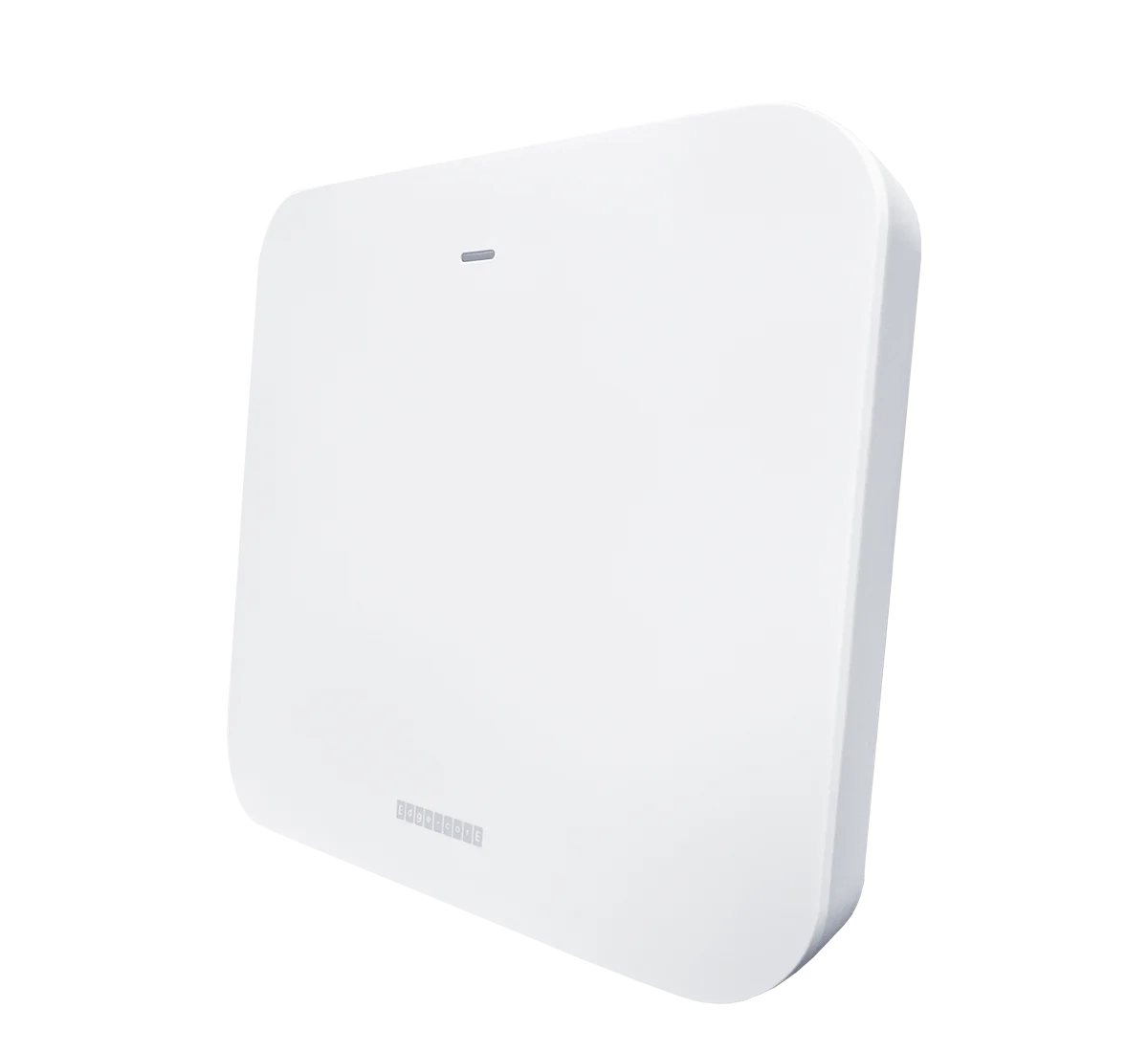
We ship you an Edgecore access point and switch, configured by RedCell for your network. Run them for 30 days, see the performance for yourself, then decide.

An access point and a PoE switch, shipped to you
Pre-configured by RedCell before it leaves
A US-based engineer on call for the whole trial
Specifications
From Edgecore’s published EAP101 product page.
HARDWARE & PHYSICAL
Uplink port
1 x 10/100/1000/2.5GBASE-T RJ-45, auto MDI-X, 802.3at PoE in
LAN ports
2 x 10/100/1000BASE-T RJ-45, auto MDI-X
Console & USB
1 x RJ-45 console, 1 x USB 2.0
Power
12 V / 2.0 A DC (adapter included) or 802.3at PoE (injector not included)
Max power draw
22.4 W
Dimensions
195 x 195 x 39 mm
Weight
0.65 kg
Antenna
3 built-in; 4.8 dBi (2.4 GHz), 6 dBi (5 GHz), 4.6 dBi (BLE)
Mounting
Wall, ceiling or T-bar; kit included
Operating environment
0 to 50 °C (32 to 122 °F); 5–95% RH non-condensing
Certifications
FCC, CE, LVD, NCC, BSMI, VCCI, JATE, TELEC, IC, C-Tick
WI-FI & RADIO
Standards
802.11ax (Wi-Fi 6), concurrent 2.4 and 5 GHz
Radio chains / streams
2x2 per band; 2 spatial streams with MU-MIMO
Max PHY rate
574 Mbps (2.4 GHz) · 1,200 Mbps (5 GHz)
Channel widths
2.4 GHz: 20/40 · 5 GHz: 20/40/80 MHz
Conducted TX power¹
Up to 26 dBm (2.4 GHz), 26 dBm (5 GHz)²
Frequency range
2.400–2.483 · 5.150–5.850 GHz³
SSIDs
Up to 16 per radio (32 total)
• 802.11k/r, OFDMA, BSS coloring
• Band steering, client isolation, Open Mesh
• Wi-Fi Enhanced Open (OWE)
• WPA/WPA2/WPA3 Personal & Enterprise
• MPSK and MAC authentication
• DHCP snooping, ARP inspection
• Standalone, ecCLOUD, EWS controller
• QR-code onboarding
• SSH, SNMP v2c, syslog, NTP
• 802.1Q and dynamic VLAN, ACL, NAT
• STP, DHCP relay, LLDP, RSSI threshold
• OpenRoaming (Hotspot 2.0 R1), captive portal
¹ Aggregated across MIMO chains, excluding antenna gain. ² Limited by local regulations. ³ Some channels restricted by local regulations. Specifications subject to change.
WI-FI & RADIO
Standards
802.11ax (Wi-Fi 6), concurrent 2.4 and 5 GHz
Radio chains / streams
2x2 per band; 2 spatial streams with MU-MIMO
Max PHY rate
574 Mbps (2.4 GHz) · 1,200 Mbps (5 GHz)
Channel widths
2.4 GHz: 20/40 · 5 GHz: 20/40/80 MHz
Conducted TX power¹
Up to 26 dBm (2.4 GHz), 26 dBm (5 GHz)²
Frequency range
2.400–2.483 · 5.150–5.850 GHz³
SSIDs
Up to 16 per radio (32 total)
Security
• WPA/WPA2/WPA3 Personal & Enterprise
• MPSK and MAC authentication
• DHCP snooping, ARP inspection
Management
• Standalone, ecCLOUD, EWS controller
• QR-code onboarding
• SSH, SNMP v2c, syslog, NTP
Network, QoS & mobility
• 802.1Q and dynamic VLAN, ACL, NAT
• STP, DHCP relay, LLDP, RSSI threshold
• OpenRoaming (Hotspot 2.0 R1), captive portal
RedCell support
Buy the EAP101 through RedCell and you get US-based engineers behind it, from the first floor plan to the last firmware update.
Network and RF design reviews so access points land where coverage and capacity need them.
Units configured before they ship, so your installers hang them and go.
Advanced support from US-based engineers, plus firmware and configuration help across your whole fleet.
01
Design.
Network and RF design reviews so access points land where coverage and capacity need them.
02
Pre-provision.
Units configured before they ship, so your installers hang them and go.
03
Support.
Advanced support from US-based engineers, plus firmware and configuration help across your whole fleet.
Downloads
RedCell edition · PDF · 4 pages
From Edgecore · PDF
From Edgecore · PDF
FAQ
No. It can run in standalone mode with no cloud account at all. For central management it works with Edgecore ecCLOUD and EWS controllers.
From an 802.3at (PoE+) switch port or injector, or the included 12 V DC adapter. For the full 2.5GbE uplink, connect it to a multi-gigabit switch port.
The two GbE LAN ports let you plug in wired devices right where the access point is mounted, such as a TV, IP phone or desktop, without running another cable back to the switch.
The EAP101 is a proven, cost-effective choice for guest rooms, offices and classrooms. For dense spaces that need more capacity and the 6 GHz band, look at the tri-band Wi-Fi 7 EAP105. A RedCell engineer can help you choose.
No. The EAP101 is an indoor access point rated for 0 to 50 °C. For docks, yards, concourses and other outdoor areas, RedCell specs the Edgecore OAP101.
Yes. RedCell ships you an Edgecore access point and a PoE switch, pre-configured for your network, to run for 30 days. A US-based engineer is on call for the whole trial.
FROM REDCELL INSIGHTS
LICENSING & OWNERSHIP
Meraki gives you 30 days of grace. After that, Cisco says devices stop passing client traffic.
HOSPITALITY
How to design hotel Wi-Fi that covers every room and holds up at peak hours.
OPEN NETWORKING
How disaggregated hardware works, who builds it, and when it makes sense for a business.
Related
Other Edgecore devices RedCell deploys, and the full lineup.
Talk to a RedCell engineer: 813 885 2600 · redcelltechnologies.com/contact
Put Wi-Fi 6 in your next project.
813 885 2600 · redcelltechnologies.com/contact